Latest Post :
Recent Posts
Showing posts with label photography. Show all posts

HDR Camera+ v2.38 Full

HDR Camera+ grew up into A Better Camera - all-purpose, full featured camera for Android! 11 shooting modes, full camera control. HDR mode is free for HDR Camera+ users!
Get Open Camera NOW!

{[['']]}

Animated Photo Frame Widget + v4.7.1 Full


※ Pro version features
● Slideshow interval can be chosen.
● One click shuffle all your photos.
● 4 in 1 photo frame widget.
● Future update functions and more than 30 kinds of different design photo frame.
● New rich design sense of the time panel. (Show/Hide)
● 10 kinds of rich design sense fonts.
● Simultaneously select multiple albums playback.
● Gallery Click Function.
● No ads.
★ The most gorgeous, the most powerful photo slideshow widget.
★ The best Photo Widget with lots of elegant photo frames on Google Play.
Animated Photo Frame Widget + can help you to create your own unique photo widget.
It differs from other photo widgets and offers up to 30 picture frames and 7 transition modes during slideshow process.

{[['']]}

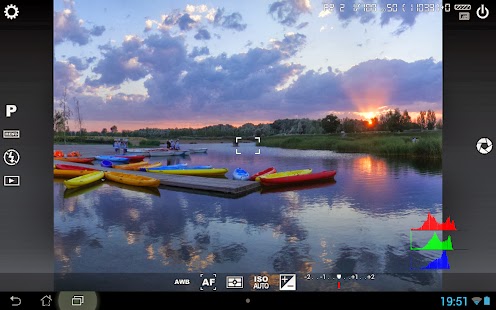
Camera FV-5 v1.54 APK Full

Camera FV-5 is a professional camera application for mobile devices, that puts DSLR-like manual controls in your fingertips. Tailored to enthusiast and professional photographers, with this camera application you can capture the best raw photographs so that you can post-process them later and get stunning results. The only limit is your imagination and creativity!

Major features:
● All photographic parameters are adjustable and always at hand: exposure compensation, ISO, light metering mode, focus mode, white balance and program mode.
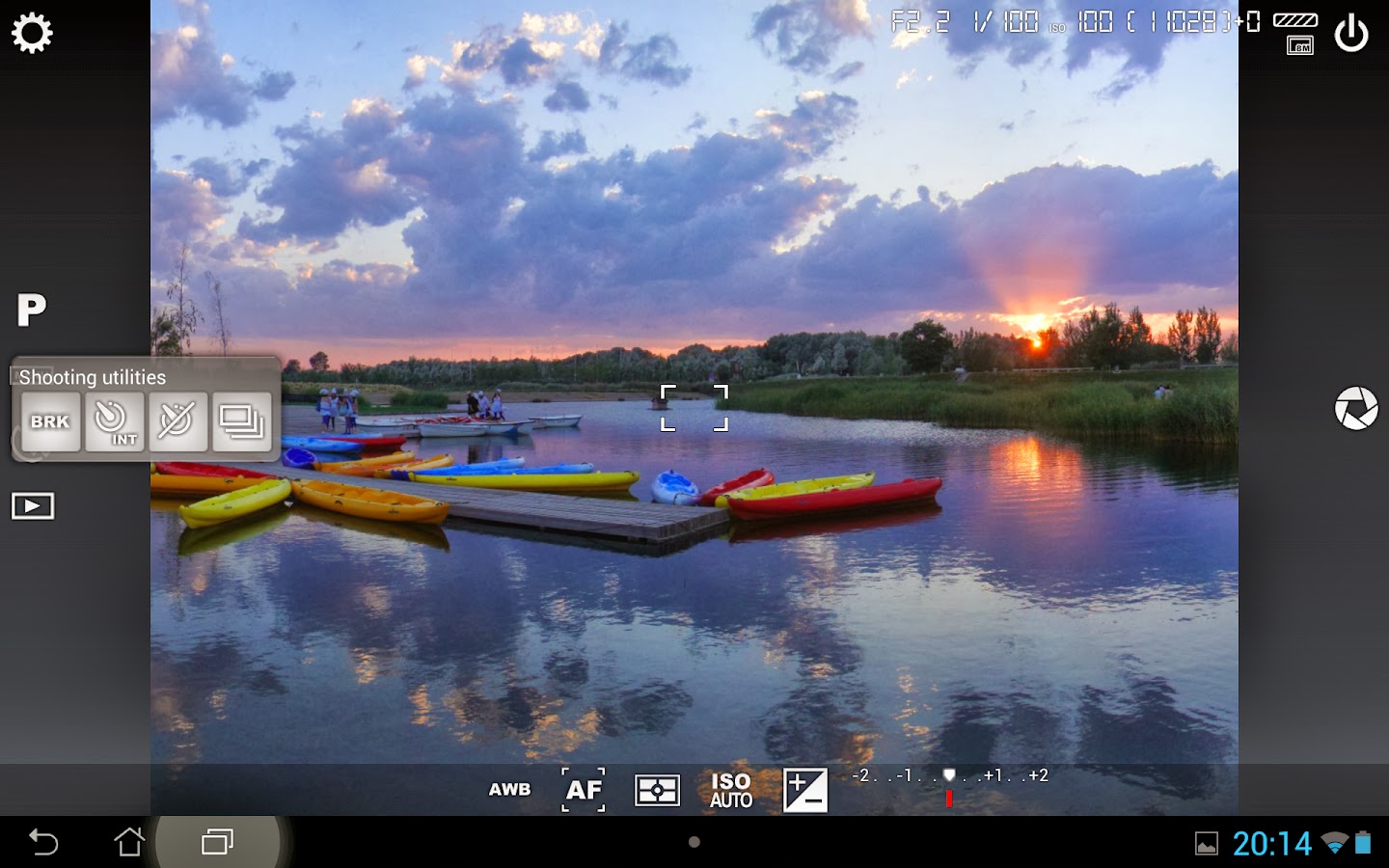
● DSLR-like viewfinder display: see exposure time, aperture and stops display with EV and bracketing settings.
● Full fledged exposure bracketing: from 3 to 7 frames, unlimited stops spacing, plus custom EV shifting.
● Built-in intervalometer: make stunning timelapses (even bracketed/HDR timelapses) and time-controlled picture series.
● Program and Speed-priority modes.
● Long exposure support: take beautiful night photos and light trails with long exposure times up to 30 seconds*.
● JPEG as well as PNG** image formats for lossless photo capturing, perfect for post-processing.
● All camera functions assignable to volume keys. You can adjust EV, ISO, color temperature and more using volume keys. Devices with hardware camera shutter key are also supported.
● EXIF and XMP sidecar metadata support.
● Self timer for delayed shooting.
● Autofocus, macro, touch-to-focus*** and infinity focus modes, plus a focus lock switch (AF-L).
● Autoexposure (AE-L) and auto white balance (AWB-L) locks in Android 4.0+.
● In background photo developing and processing allows a smooth, uninterrupted camera operation.
● Digital zoom using multitouch pinch gesture. Also shows 35mm equivalent focal length!
● The most advanced electronic viewfinder: live RGB histogram, 10 composition grid overlays and 9 crop guides available.
● Powerful organization options: different storage locations and fully customizable file names (even with variables).
● The user interface is available in more than 25 languages.

This camera application completely avoids scene modes, instead you get full manual control over all photographic parameters, just like you do with a reflex camera, so you can ultimately control every aspect of the picture, and leave the post-processing to the computer. So after your DSLR, you will never miss a photo opportunity again, being able to capture it with the closer sensation to your DSLR as possible.
IMPORTANT: If you find a bug using the application, PLEASE, visit the web page http://www.camerafv5.com or write to camerafv5@flavionet.com with your phone model name and the description of the problem, before writing a negative comment (developers cannot reply to Google Play comments). Customer satisfaction is my priority, and I will do my best to fix the issues as soon as possible!

Connect with Camera FV-5 and stay always up to the latest information about current and future development. Visit the official website http://www.camerafv5.com, be a fan of http://www.facebook.com/CameraFV5, subscribe to http://www.twitter.com/CameraFV5 or watch tutorials at http://www.youtube.com/user/camerafv5.
* Long exposures lowers picture resolution to 2 or 1 MP, depending models. The reason is explained here: http://www.camerafv5.com/faq.php#long-exposure-resolution
** Lossless PNG saving is a memory intensive operation. Some devices might need to raise the memory limit for Camera FV-5 to save PNG pictures. See the FAQ here: http://www.camerafv5.com/faq.php#png-memory
*** Touch-to-focus available for Android 4.0+ devices. Under Android 2.x, available only on Motorola, HTC and Nvidia camera drivers, plus some Samsung drivers and other phones.

Permissions explained:
- Approximate location and precise location: only used for geotagging functionality (disabled by default, and requires manual GPS activation).
- Modify or delete the contents of your USB storage and take pictures and videos: required for the usual camera operation.

What's New
- New: long-press on lower toolbar icons (ISO, EV, metering...) to reset their settings to their defaults.
- New: option to change composition grids and crop guides using the volume keys.
- New: brand-new user guide built-in within the app. Check it out on Settings > About Camera FV-5 > Show app user manual.
- New: touch-metering (when available) is now more visible on the metering toolbar.
- Fixed: ISO is now working on Samsung Galaxy S4 and Note 3.
- Improved: better support on Android 4.3.

Read Here: How to Install APK

Requirements: Android 2.2+
File Size: 10.64 MB
Download Link: Mediafire.com

{[['']]}

Magic Hour – Camera v1.3.20 APK Full

Magic Hour is an app that can transform your ordinary photos to extraordinary ones.
It will give you a fun experience you've never had.
✱ Magic Hour means… ✱
The magic hour is the first and the last hour of sunlight during the day,
when a specific photographic effect is achieved due to the quality of the light.
We put the short moments of Magic Hour that make everything beautiful into our app.
★ Capture the moments of daily life!
- Use the grid, touch screen photo taking capabilities, flash capability (offered in the available devices) and front camera(offered in Galaxy S, S2, Nexus 2 with GingerBread).
- "Save Original Photo" function.
★ Make your memories more precious!
By using 40 awesome filters we provide, turn your photos into work of art. It only takes a few taps.
★ Transfer mediocre photos to professional ones with a few taps!
- Use Curves, Saturation, Brightness, Contrast, 8 types of Vignettes, 23 kinds of Textures and 12 different frame selections.
- Retouch the curves, brightness, contrast, vignette, textures, and frames of your photos.
By doing so, you can make the filters suit your mood, taste and style. Also you can save your filters and use them again anytime.
- Create filters and edit them anytime
★ Post your photos and share it with your friends and the whole world.
- You can share photos on social network services such as facebook, twitter, flickr, tumblr, WhatsApp, KakaoTalk!
- Choose your facebook wall or album, twitpic or yfrog via twitter or simply email it to your friends.
- You can simply use Magic Hour on your Gallery share menu.
★ FREE Filter Market! It's amazing!
What photo app would be fun without updating it with new filters?
We provide you with unlimited filters from the Filter Market. You can upload your filters and share them with your friends and anyone with Magic Hour application.
- Download tons of free filters from the Filter Market.
- Share your filters with friends and anyone with the Magic Hour app via Filter Market.
*** Supported screen size ***
- 320x480, 480x800, 480x854, 600x1024

What's New
★ Magichour 1.3.2 Version update information ★
Hello.
This is Magic Hour team.
Magic Hour will guide 1.3.2 version update.
★Updates★
1) 3:4, 4:3 ratio supports photo
2) Tilt-shift function when editing photos added
3) save the original picture not make any problem solving
With the new and improved Magic Hour ~ Enjoy the beautiful fall
More than a good picture of the life you always magic hour the team was trying to.
Thank you.

Read Here: How to Install APK

Requirements: Android 2.1+
File Size: 16.91 MB
Download Link: Mediafire.com
{[['']]}

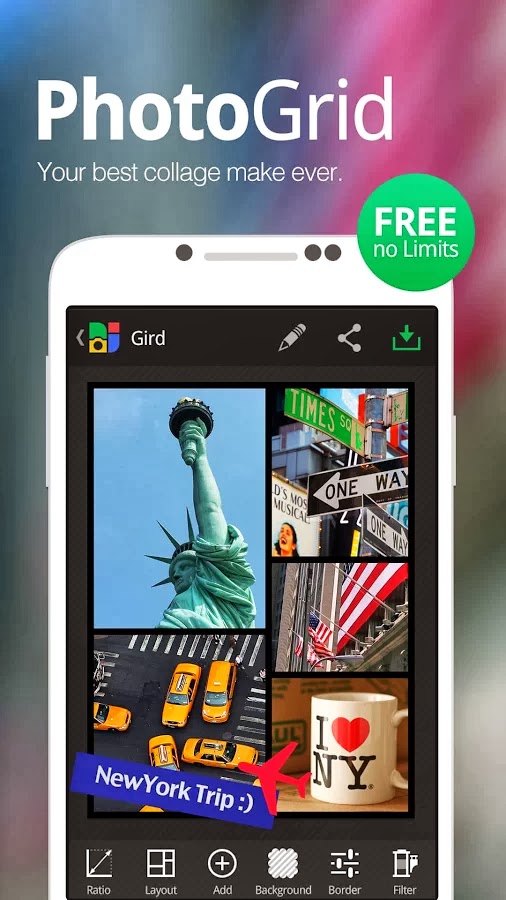
Photo Grid – Collage Maker v4.551 APK

With PhotoGrid you can make your photos collection into amazing collage.
#1 Collage app on Android, over *** 38 Million*** users like PhotoGrid.
* Top1 in Photography over 11 Countries.
* Top5 in Photography over 37 Countries.
Photo Grid's simple interface and outstanding menu of pre-designed grids make it the best collage app on the market. - CNET
We love Photo Grid. It can work hand in hand with Instagram to quickly produce beautiful results... and its interface is so intuitive that anyone will be able to master it - PC Advisor
Photo Grid is free and makes sharing pics and collages easy.
Instantly and easily create collages, wallpaper and photo albums.
Edit pictures in our photo lab and share on Instagram and other places with Photo Grid.
This collage maker is incredibly easy to use, try it and see for yourself.
100% free and fully loaded.
#1 photo sharing app for Instagram users. Default mode crops pics to a square. Makes great an amazing instacollage for instagram

Features:
* Create a professional collage instantly - incredibly easy
* Variety of layouts for photo grids, wallpapers, photo walls, albums and collages
* Shake to conveniently swap pics or manually select for precision
* Editor allows you to move, swap, rotate, zoom, sketch, etc in the photo lab
* Add text, emoticons and clip art to your photos and collages
* Arrange your collages loosely or in a square (for Instagram), wide rectangle, tall rectangle or just use a single photo
* Share via Facebook, Instagram, Twitter, Flickr, Picasa, Blogger, Tumblr, Google Plus, email, etc
5/5 Stars - Android App Magazine
4/5 Stars - CNET
4/5 Stars - PC Advisor
Top Free Photography Apps - Android Authority
5 Free Must Have Android Apps for Photographers - The Next Web

FAQ and answer
Q: Cant Save or Share?
A: After you click save or share, did you see a msg below that says "Storage card space is insufficient"
thats the reason you cant save.
we only give this msg when your card space is less than 20M
please delete some files like video or music to make more space.

Instagram questions
Q: how to make photo in square, so i dont have to crop it.
A: Default mode is square now.
Q: how to move the photo in grid
A: you can drag to move on mainpage now, no need goto edit and click moving button.
Q: too small to upload to instagram?
A: please update your instagram to latest version

Dropbox questions
Q: Can't login dropbox, meet '403 error' or 'certificate is invalid'.
A: Please check your phone time setting and make sure it is right.

Other FAQ
Q: not all my photo loaded in photogrid
A: please check if these photo in system gallery, our album are sync with system gallery.
A: and you can add album photo manually by click setting button on the folder list page (up right)
Q: How to edit? ( Move, Swap, Rotate, Zoom )
A: Please click "green pencil" icon besides save button on up right of main page.
Q:Where do the collages go when u save them?
A:Saved in \sdcard\Photo Grid
Q:How to send us debug log
A:Click setting on first page and select Email support。

What's New
V4.551
* Sharing photo from Gallery directly to PhotoGrid.
* Search function added to Flickr online album.
* Much improvement on Single mode.
* Many bug fixes.
V4.544
* Bug fixed of thumbnail loading.
* Fixed the bug that Some devices may freeze during the saving.
* Notification can be turn off in setting menu.
* Many other bug fixed.

Read Here: How to Install APK

Requirements: Android 1.6+
File Size: 7 MB
Download Link: Mediafire.com
{[['']]}

LockerPro Lockscreen v4.8 APK Full


A simple and clean lock screen with notifications for your Android device.

« LockerPro Lockscreen for Android Puts App Notifications Right On Your Lock Screen », Lifehacker (December 2012)
« LockerPro is the nicest Android lock screen replacement I've come across », PhoneDog (December 2012)
« LockerPro Lockscreen is a great app that implements notifications really elegantly », Redmond Pie (December 2012)

Try the smartest lock screen for Android !
LockerPro allows you to check your notifications without unlocking your device.
LockerPro monitors notifications coming from any app on your device, and displays them as banners on your lock screen. You can easily swipe them away by swiping them to the left, or launch the notification by swiping to the right.
LockerPro also provides an app launch panel and a widget panel. Simply swipe the screen from the left to access the app launch panel, and from the right to access the widget panel.
Follow us :
twitter.com/productigeeky
facebook.com/productigeeky
productigeeky.com/google-plus

What's New
- New "Dim background" setting
- Fixes issues with pre Android 4.2 devices

Read Here: How to Install APK

Requirements: Android 4.0+
File Size: 9 MB
Download Link: Mediafire.com
{[['']]}

HD Panorama+ v2.14 APK Full

HD Panorama+ grew up into A Better Camera - all-purpose, full featured camera for Android! 11 shooting modes, full camera control. Panorama mode is free for HD Panorama+ users!

High definition and fast panoramic camera:

- Highest resolution
- Fast and smooth panorama stitching
- Easy to use
- Augmented reality helps to get perfect panorama
- Up to 360 degree panorama (only limited by available memory)

Put your device in portrait orientation, tap shutter button, slowly sweep to the left or right, tap button again to stop shooting.

When shooting nature, camera optics rarely allow to capture complete landscape in it's beauty, not just chopping off small piece.
Indoor, it is rarely possible to move far enough to cover the space completely. A number of frames has to be taken or special optics (fisheye) should be used.
In these cases panorama is the solution.

Usually, panorama on mobile devices is shoot using either of two methods:

- sweep panorama - shooting is running continuously, and camera is rotated slowly and smoothly to capture entire scene.
- pan-and-shoot panorama - multiple separate frames are shot: shoot - rotate - shoot - rotate, etc.

Both cases have their own drawbacks.

In case of sweep panorama the shooting is actually happening in video mode and the height of panorama is limited by maximum resolution for shooting video (for the majority of mobile devices it is 1280 pixels). Also, it is impossible to get sharp result under low-light illumination, since camera is always in movement, and exposure for each frame is rather long. On the other hand, on devices without gyroscope, sweep panorama usually will give better stitching results.

Pan-and-shoot method allow to shoot panorama of maximum resolution, limited only by amount of available free memory on device. If device is equipped with gyro - it is possible to rotate camera quickly from one shot to another. In this case it is also possible to select the most appropriate focusing mode: autofocus, focus to infinity, or continuous focusing.

HD Panorama+ implements both shooting methods.

One of the problems while shooting panorama - the necessity to strictly keep camera orientation to avoid distortion of horizon line, and to avoid 'curvature' on frame sequence. Otherwise only a narrow area will come out as a result of stitching. In HD Panorama+ there are 'augmented reality' guides. These are showing clearly how to orient camera to get ideal result. When using augmented reality - it is simply impossible to shoot the frame which will drop out of panorama line of sight.

HD Panorama+ is stitching frames taking into account possible deviations in illumination between frames and presence of moving objects in panorama field. HD Panorama+ is reproducing dynamic range of the scene to the maximum extent and minimizing the moving objects stitching errors (ghosting removal).

If you are a professional photographer, HD Panorama+ will allow to save the input frames captured, and stitch and possibly adjust them on your personal computer.

What's New
- stability fixes

Read Here: How to Install APK

Requirements: Android 2.2+
File Size: 9.1 MB
Download Link: Mediafire.com
   
Please report if there's any broken or dead link by putting the name of post in the comment menu above.
{[['']]}

Night Camera+ v2.20 APK Full

Night Camera+ grew up into A Better Camera - all-purpose, full featured camera for Android! 11 shooting modes, full camera control. Night mode is free for Night Camera+ users!

Capture high quality images in low light. Use your mobile camera everywhere, in any conditions, no matter how dark is it. Take sharp and noise free images. See the scene clearly with night vision viewfinder.
- No blur, no noise!
- Full resolution
- Advanced low light technique
- Location tagging
- Shutter sound can be muted
- Support for Flash on/off/auto

Night Camera+ is a perfect tool for shooting indoor, at night and evening, in twilight and any other dark environment.

===
"Sorry for the quality, mobile." Almost everyone makes excuses when publishing a photo taken with a camera phone. What are the problems taking good quality pictures with camera phones and is there a way to solve them and bridge the gap between camera phones and compact cameras?
You may think there is very little difference between a cell phone camera and a point-and-shoot camera. Nowadays, mobile phone cameras have enough megapixels. The phones have enough storage capacity. Even the lens quality is not as bad as before and can compete with low-end compact cameras.
At the same time, a big gap still exists when it comes to the basis of photography – the light source. If you take pictures in daylight, you may be satisfied with the quality of mobile images. However, when you move to a less bright indoor environment, you start to notice the difference. Mobile images appear to have more noise, they are usually blurry and lack detail in shadows. Bright areas turn into pure-white spots. Faces seem unnaturally flat, especially when using a flash. Getting into a darker environment extends the gap. While images taken with a regular camera are not very good but still do show a scene, mobile images become unacceptably blurry and show almost nothing but smeared lights and the camera’s own noise.
Almalence, Inc. has developed a technology that combines a special exposure mode and software post-processing to greatly reduce the blur effects and improve dynamic range.
===

FAQ
Q: Isn't it better to use the standard camera and then improve the photos in Photoshop?
A: It is always better to take a quality image than to improve a bad one. It is usually impossible to remove heavy blur or reduce high noise without losing image details.
Night Camera does not apply deblurring or noise reduction filters to a standard image, it gets a better image from the sensor.

What's New
- fixed taking images from 3d party apps.

Read Here: How to Install APK

Requirements: Android 2.2+
File Size: 3.4 MB
Download Link: 4shared.com

{[['']]}

UCam Ultra Camera Pro v4.0.3.092502 APK Full

This is Pro Version of UCam. There are main 3 differents than Free version-
01. Beautification/Makeup feature.
02. High performance Panorama.
03. more stable.
More than 30,000,000 users are enjoying UCam, the most popular & powerful photographing software!
30+ main features, your ULTRA camera application!
01. Support more than 30 software/hardware camera parameters to make sure high quality picture/video.
02. Smart & Natural beautification
- automatic face/skin detection
- soften/whiten skin, trim face, eyes enlarge
03. More than 60 capture scenarios help you to be a shining star on magazine, billboard and LED screen.
04. The best image post process tool-①more than 100 effects②abundant edit function③perfect text, bubble and label④Excellent graffiti⑤hundreds of frames,
textures and decorators⑥convenient puzzle.
06. Unique Picture In Picture (PIP) capture mode.
07. Most convenient GIF animation maker.
08. The fastest burst shot camera.
09. Most convenient SNS posting tool- post picture/message to all your SNS sites/accounts simultaneously (support facebook, twitter, flickr, sina weibo, QZone, renren, kaixin, tencent weibo and sohu weibo).
All these are in UCam. Without UCam, you need more than 10 apps of 100MB memory.
UCam, your ultra camera, the only camera you need!

What's New
Change log of Version 4.0.3 -
1、Add rename feature of Panorama 3D view
2、Fixed some devices can't show the extend sdcard pictures problems
3、Optimize some filters effect
4、Fixed other bugs

Read Here: How to Install APK

Requirements: Android 2.2+
File Size: 15.3 MB
Download Link: 4shared.com
{[['']]}

Infolinks 2014


Recommend us in Google+


Visit us on Facebook

 
Copyright © 2013 | Bisag Unsa - All Rights Reserved

Please like Bisag Unsa

Please wait..20 Seconds Close